Online booking pages for classes
Create public class cards with dates, times, prices, venues, capacity, flyers, service-specific booking fields, and direct booking links that families can use from any device.

Classflows helps education and activity providers publish classes, take online bookings, collect payments, manage manual enrolments, and keep parents informed without stitching together spreadsheets, forms, and payment links.
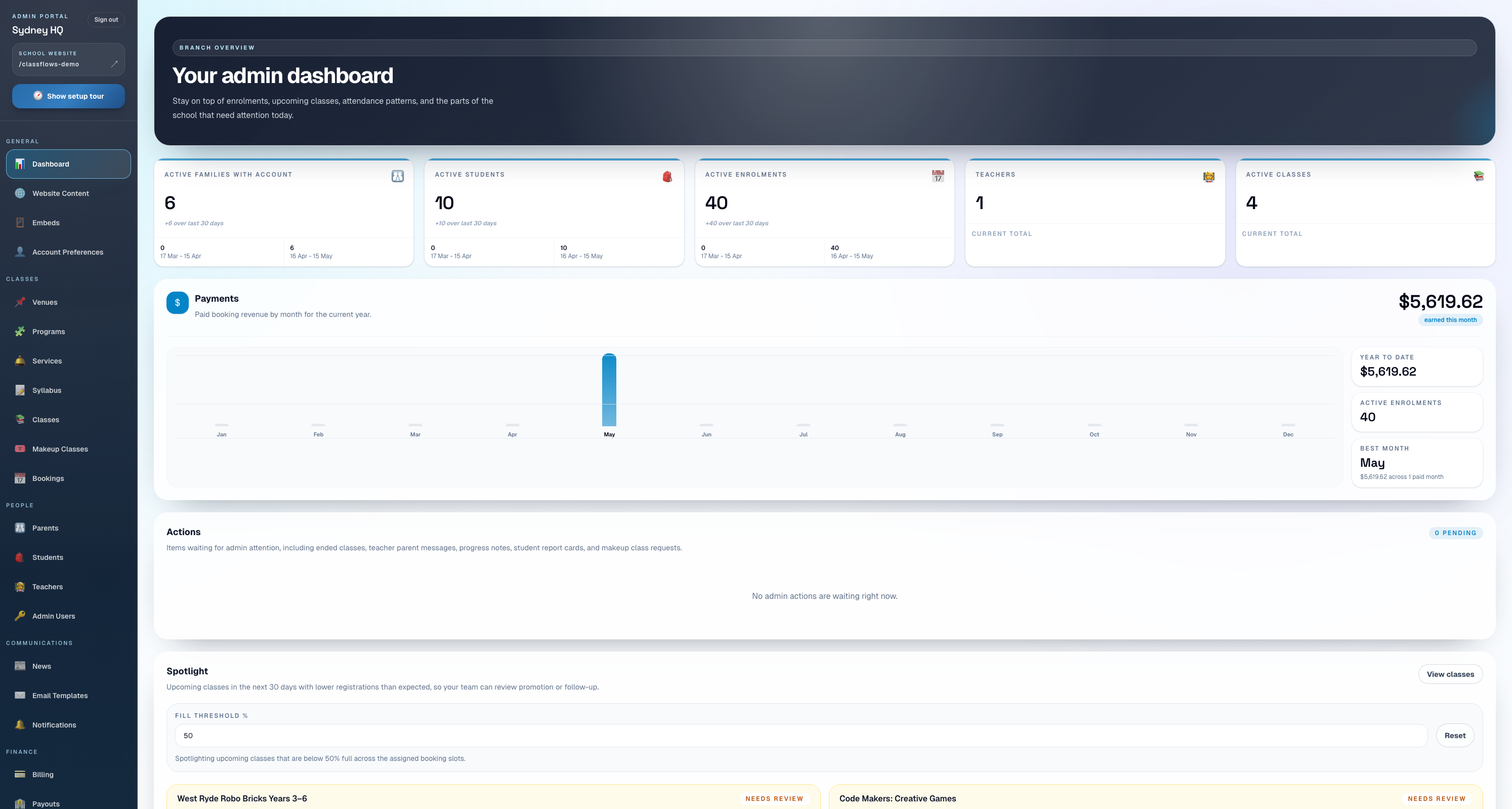
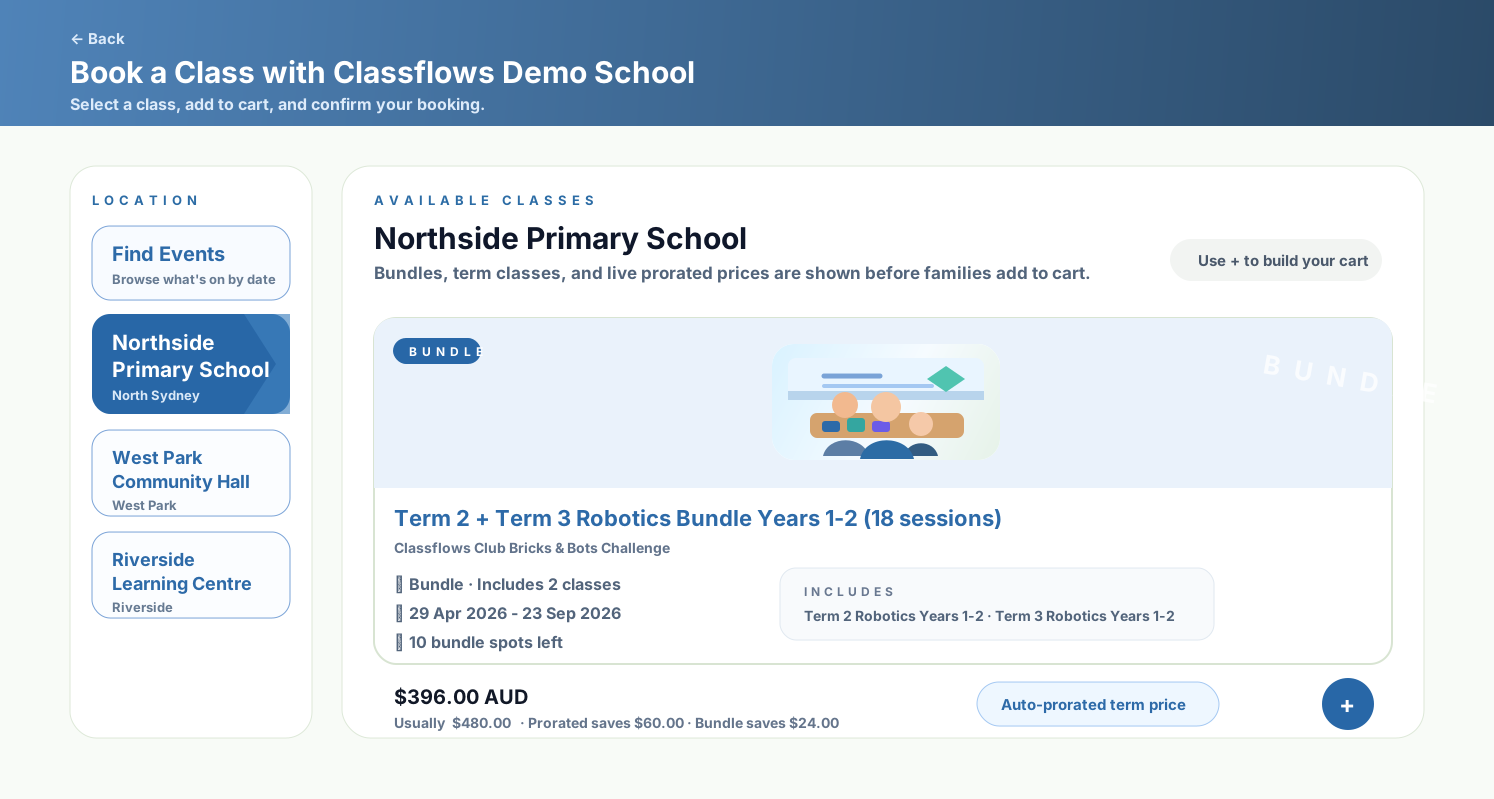
Families can browse, book, and pay online.
Classes, payments, parents, and reports connected.
Create public class cards with dates, times, prices, venues, capacity, flyers, service-specific booking fields, and direct booking links that families can use from any device.
Collect online payments, support manual and no-charge bookings, apply discounts, manage prorated term pricing, and keep the enrolment record connected to payment status.
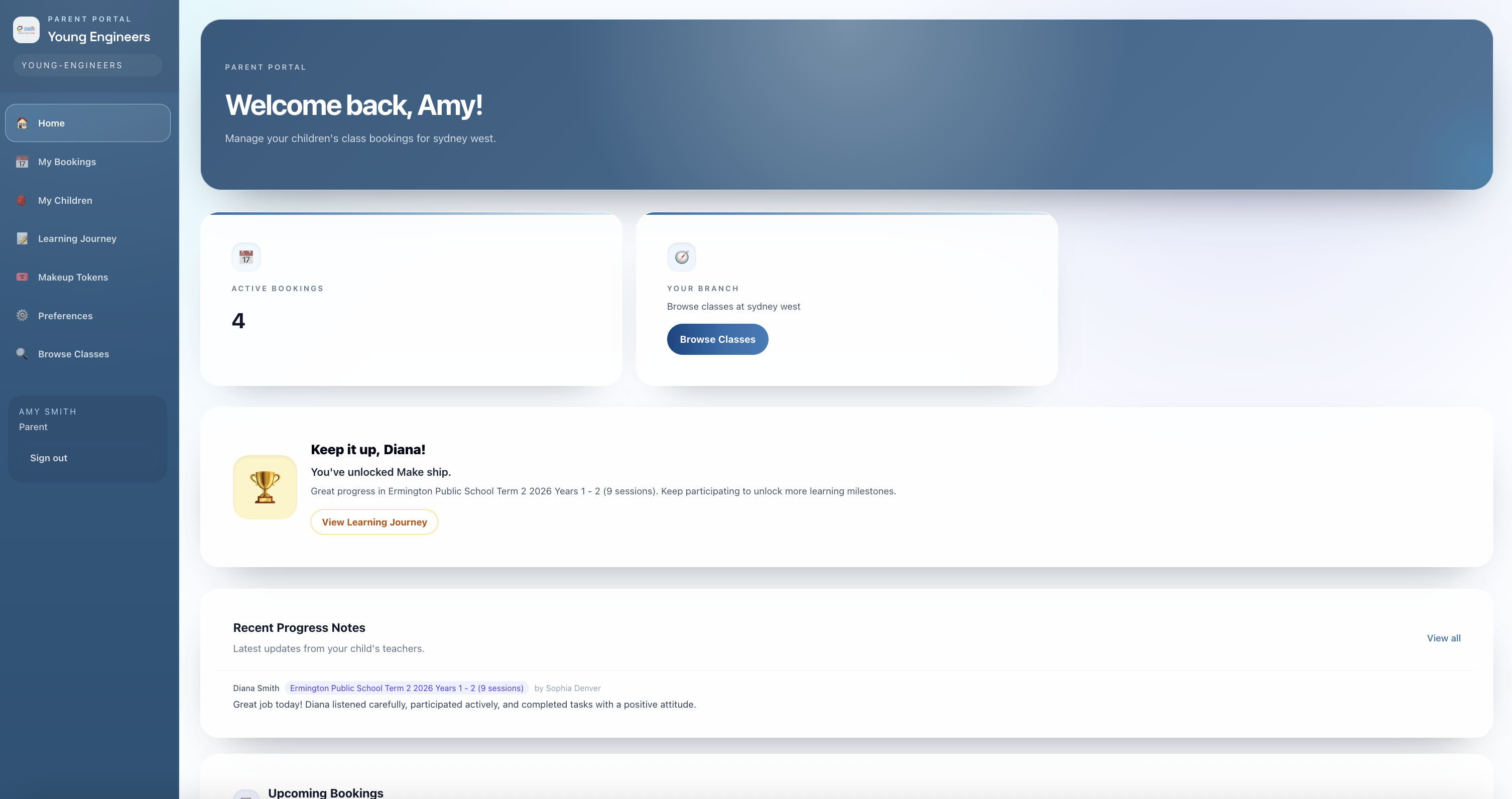
Families can add students, select the right child for each class, complete extra booking questions, receive confirmation, get teacher updates, and return through the parent portal.
Handle makeup requests, waitlists, bundles, class links, branch-specific booking contexts, and admin-side booking support when families need help.
These screens show the real Classflows workflows behind class bookings, dashboards, attendance, parent visibility, billing, and class management.
Admins can start from a single dashboard for bookings, class activity, setup prompts, and operational snapshots.
Families can book term classes or bundles, with prorated prices automatically reducing as sessions pass so they do not pay the full term price late.
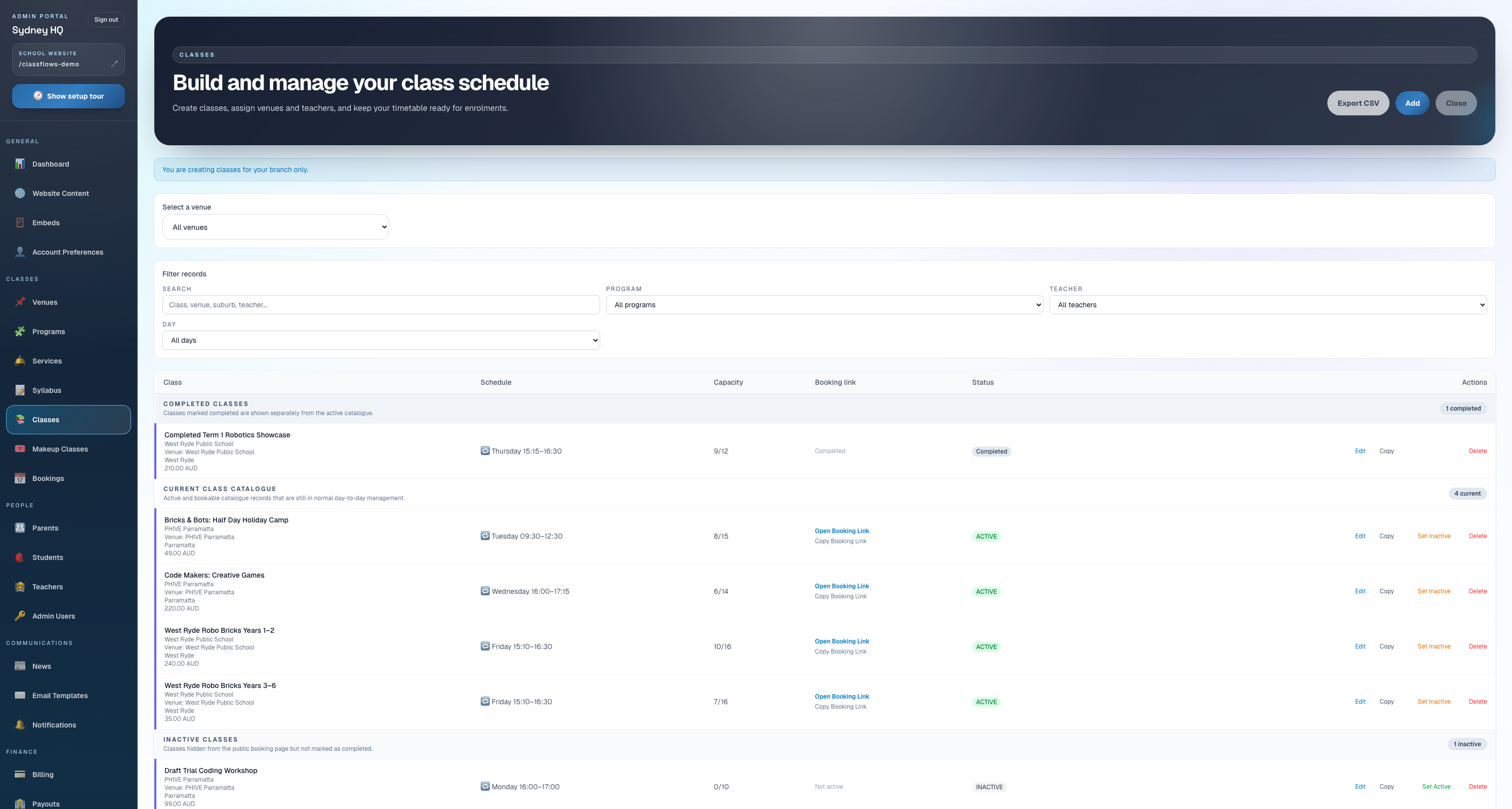
Admins manage active, completed, inactive, draft, and bundled classes from one catalogue.
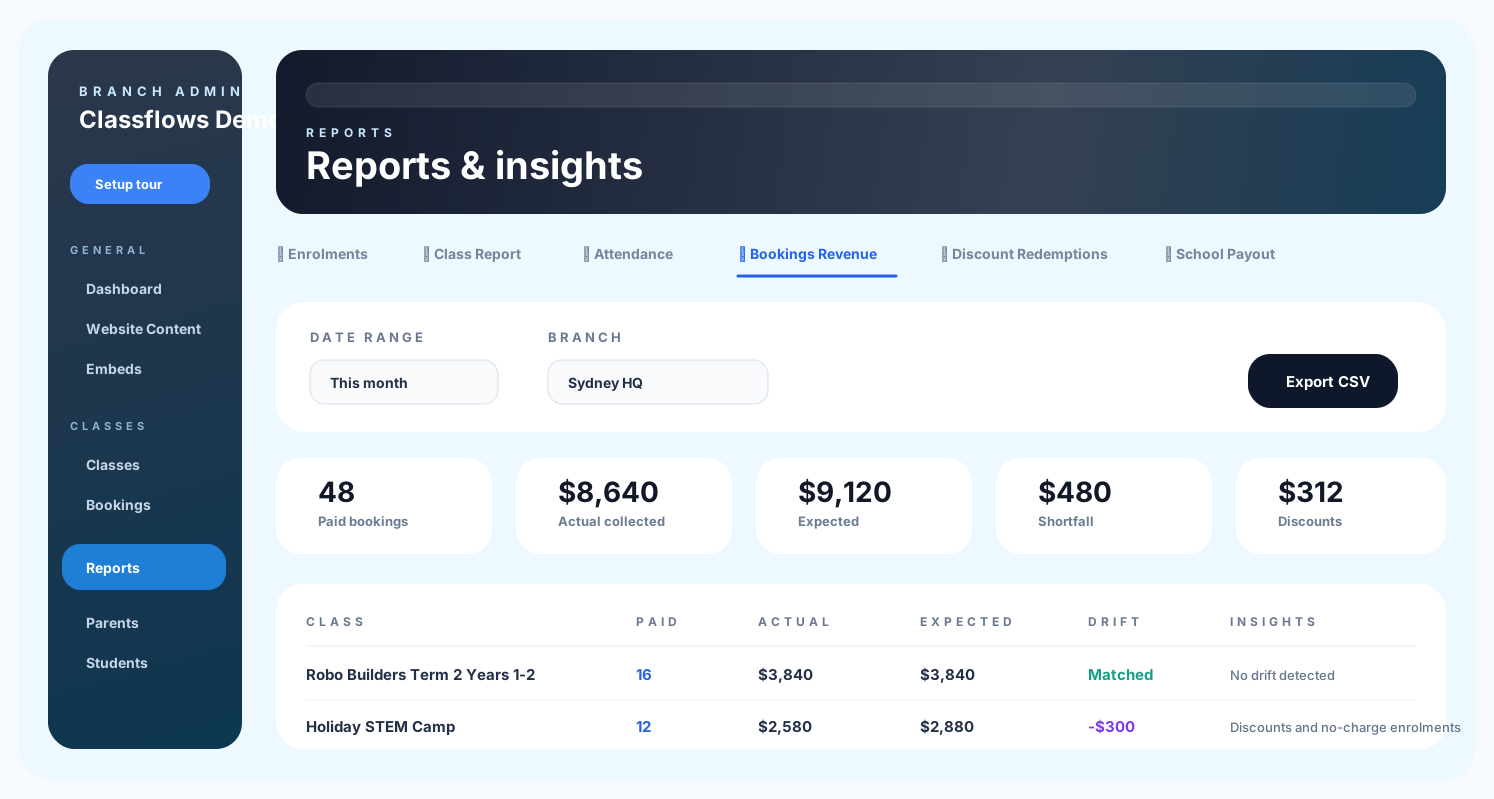
Bookings Revenue shows expected vs actual collections, discounts, payment methods, and drift so admins can reconcile payments clearly.
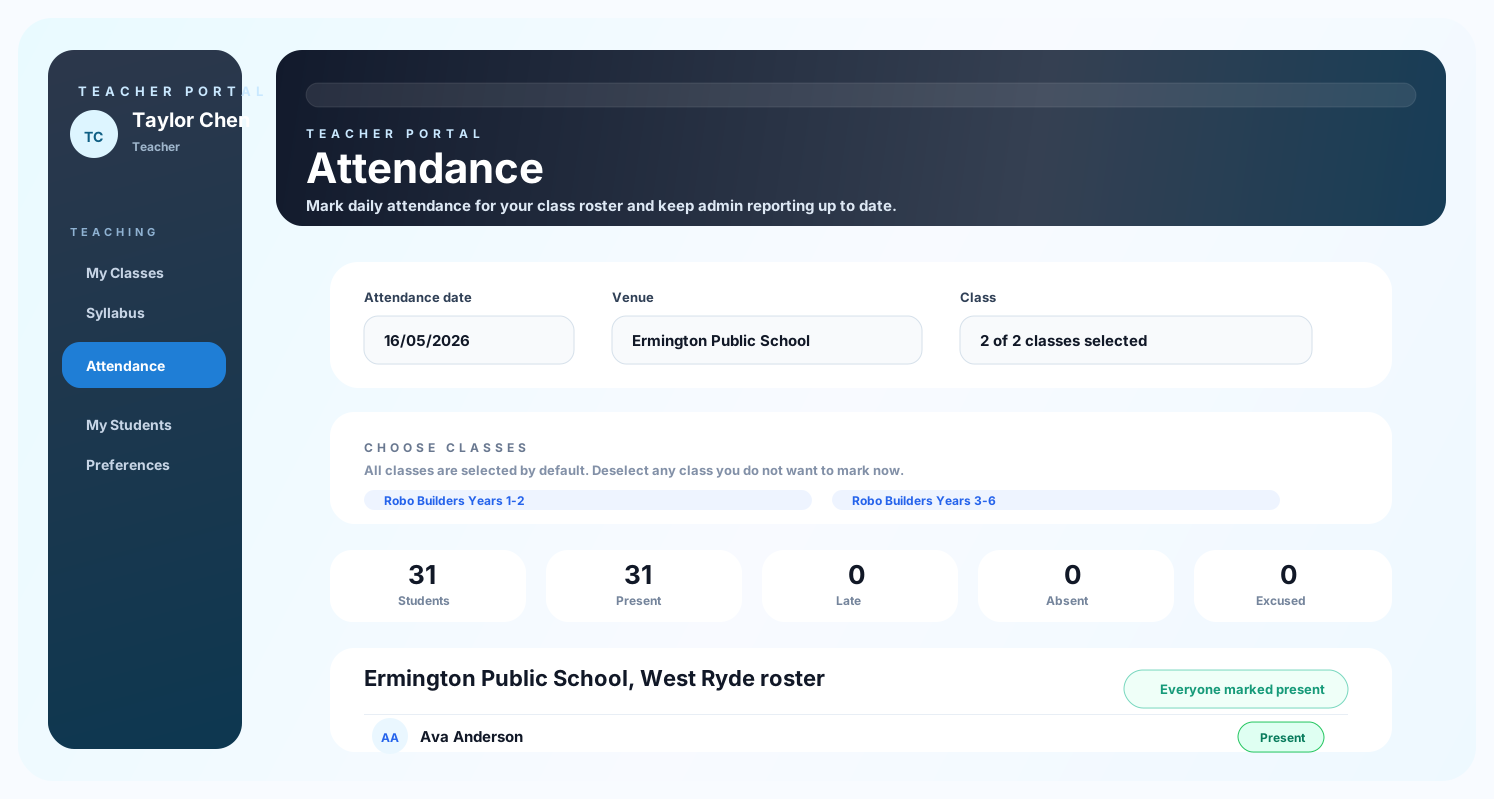
Teachers can open class rosters, mark attendance, and keep admin reporting up to date.
Families can return to view children, bookings, preferences, progress, and account details.
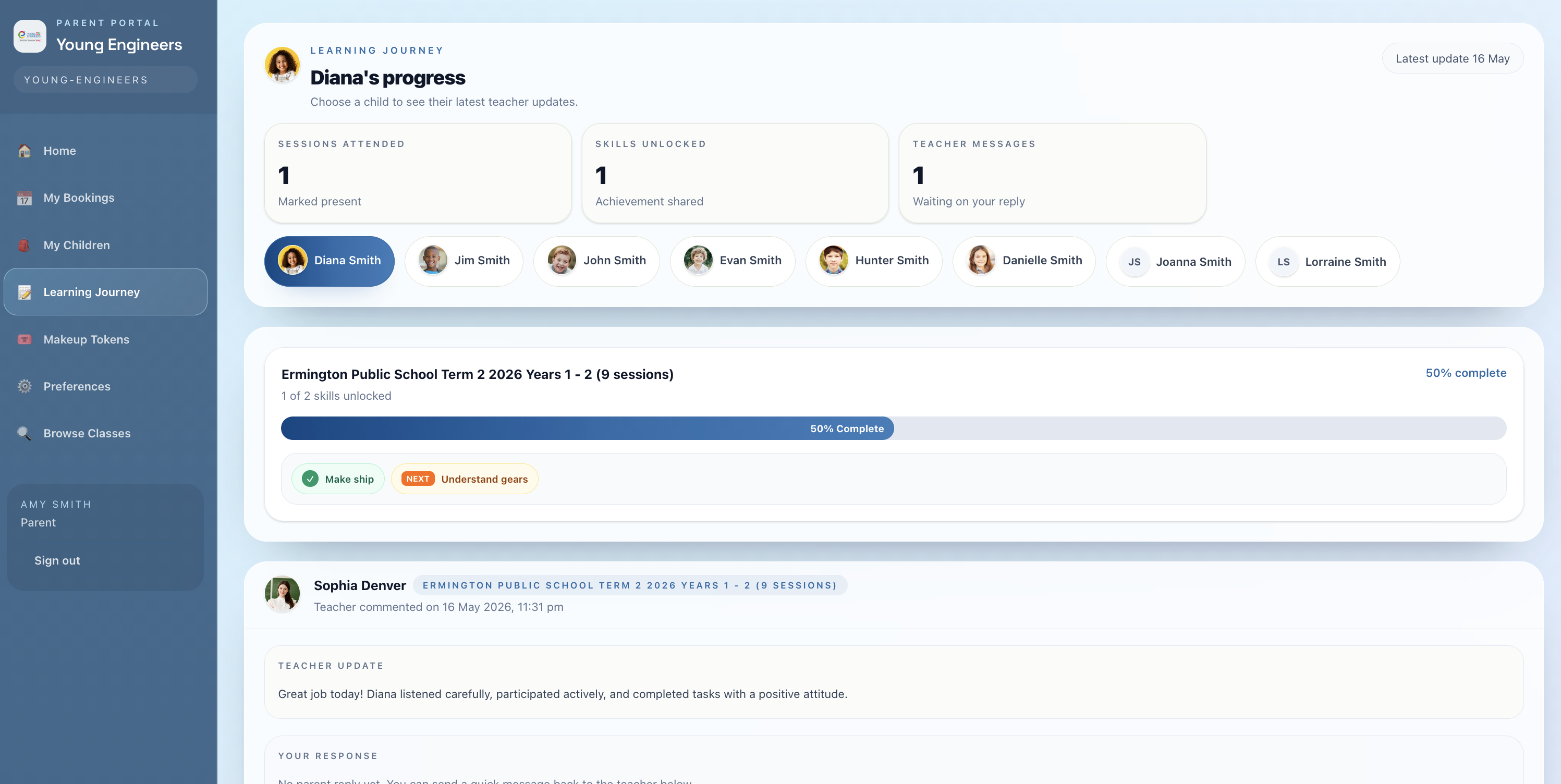
Parents can see unlocked skills, teacher updates, attendance context, and child progress from the Learning Journey menu.
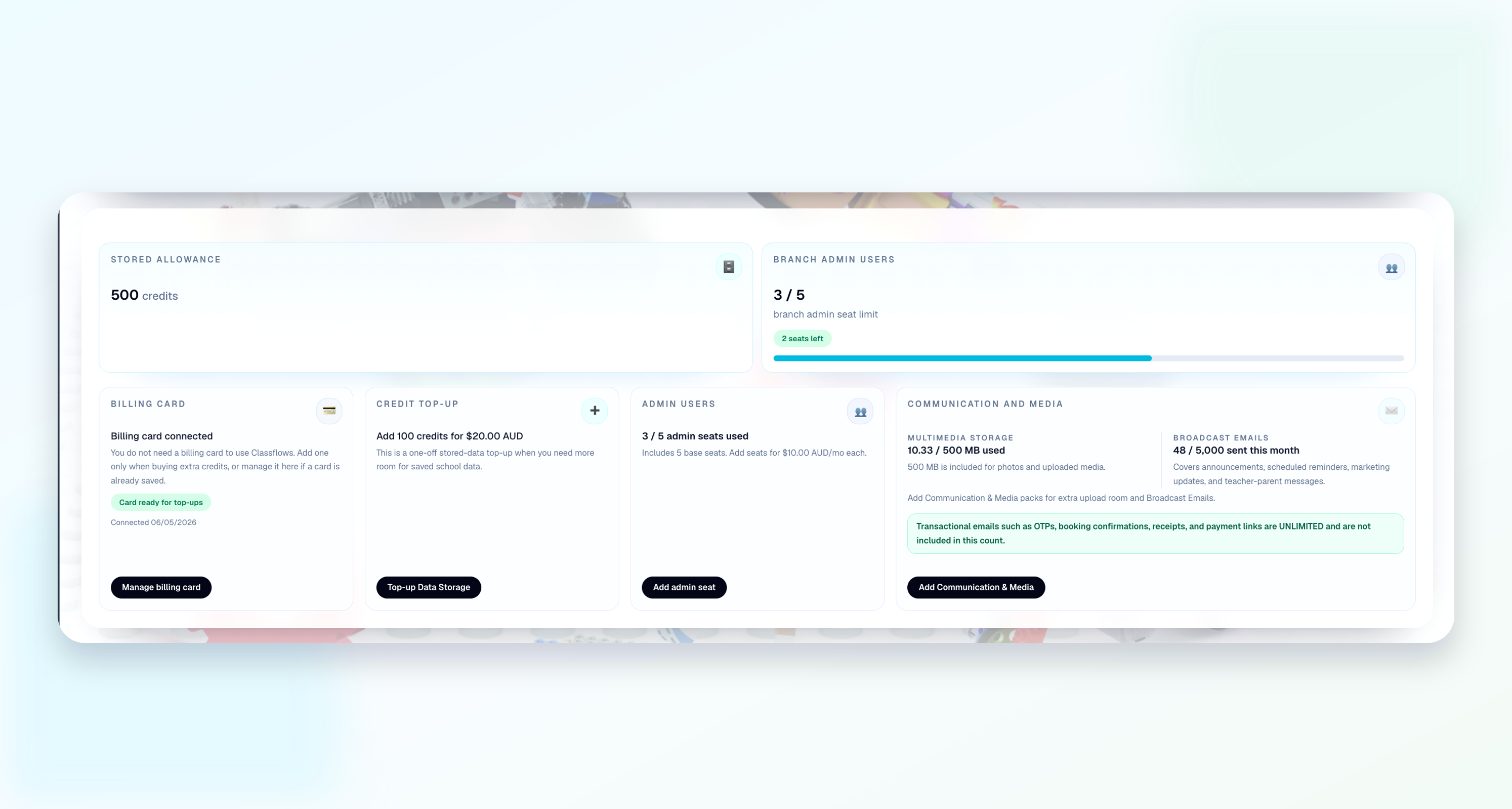
School owners can see subscription, billing setup, and usage information from the admin portal.
Class booking software lets families browse classes, enrol students, pay online, and receive confirmation while admins manage capacity, schedules, payment status, and booking records in one system.
Yes. Admins can create manual bookings, no-charge bookings, and assisted enrolments while keeping the class roster and reporting consistent.
Yes. Term classes can use prorated late booking calculations, and admins can still track discounts, bundles, and payment drift in reports.