Class catalogue and scheduling
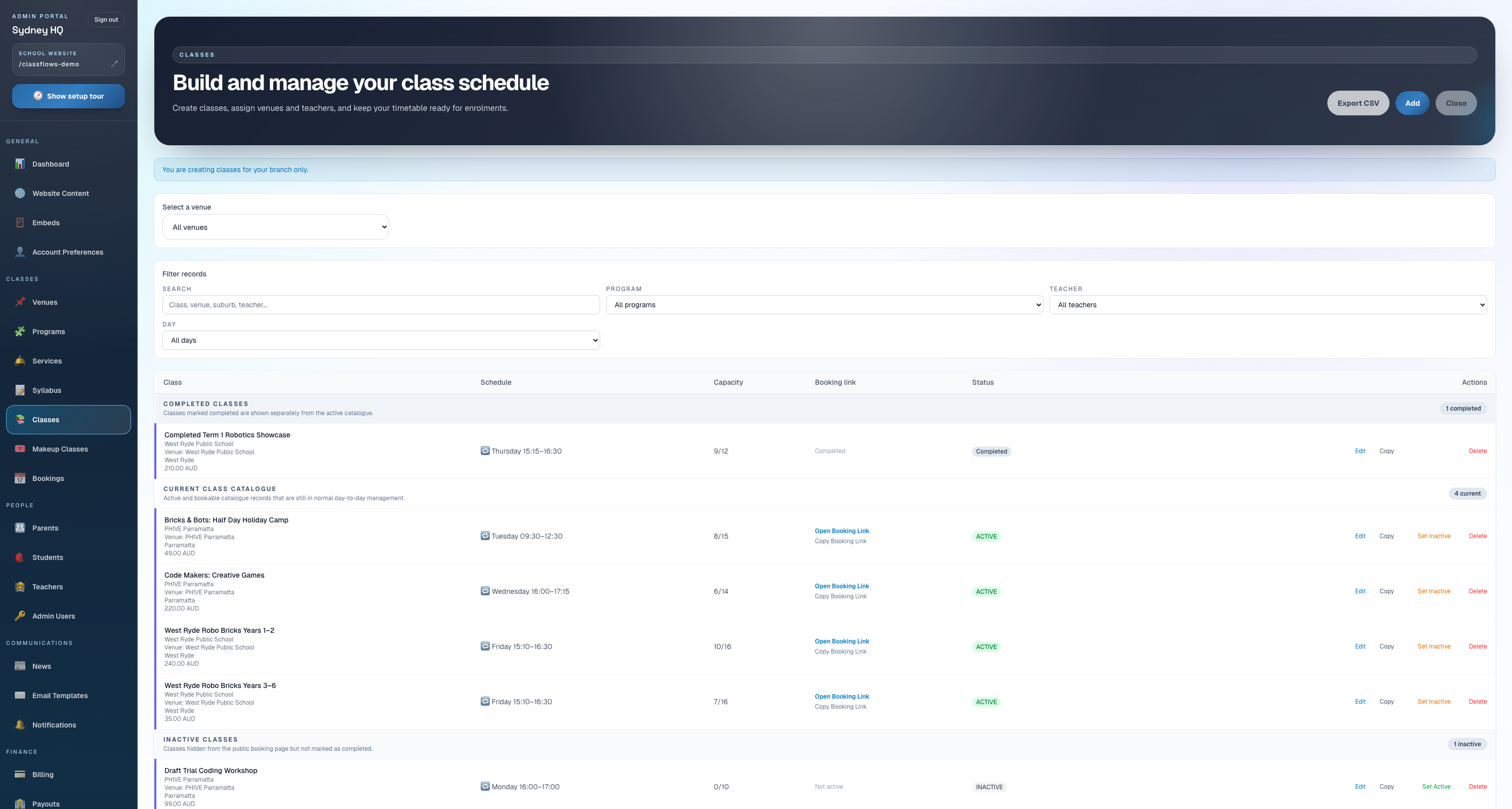
Manage active, completed, inactive, draft, bundle, and archived classes with schedules, capacity, venues, teachers, public visibility, and booking links.

Classflows gives schools and activity providers one connected place to manage classes, students, parents, teachers, bookings, attendance, payments, reports, syllabus content, and branch operations.
Families can browse, book, and pay online.
Classes, payments, parents, and reports connected.
Manage active, completed, inactive, draft, bundle, and archived classes with schedules, capacity, venues, teachers, public visibility, and booking links.
Keep family records, student year levels, teacher assignments, parent portal access, and admin notes connected to bookings and classes.
Teachers can use the portal for attendance, students, parent updates, progress notes, syllabus skills, lesson plans, and printable syllabus materials.
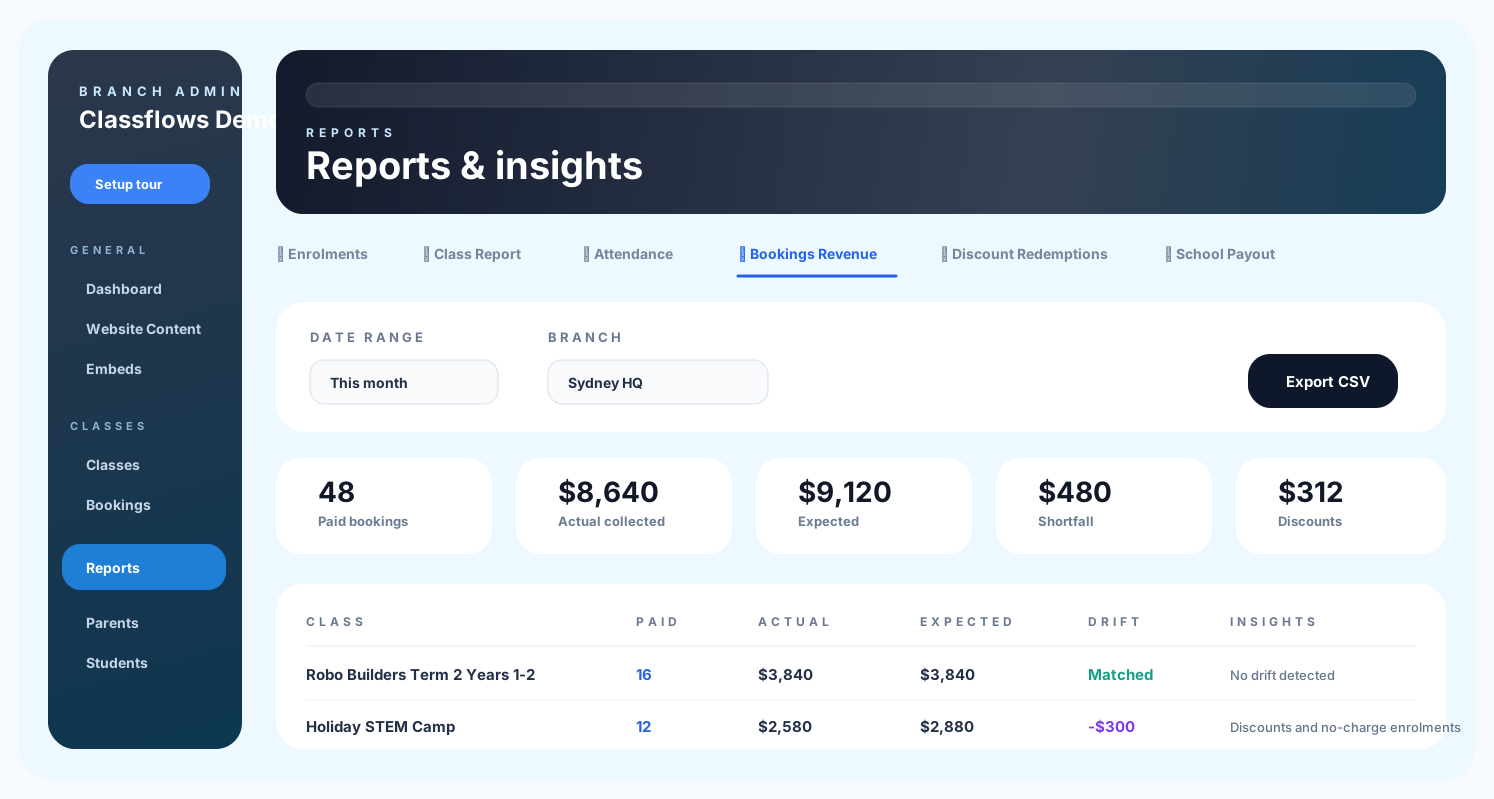
Review booking revenue, expected versus actual drift, payout reports, audit logs, discount redemptions, attendance, and other operational insights.
These screens show the real Classflows workflows behind class bookings, dashboards, attendance, parent visibility, billing, and class management.
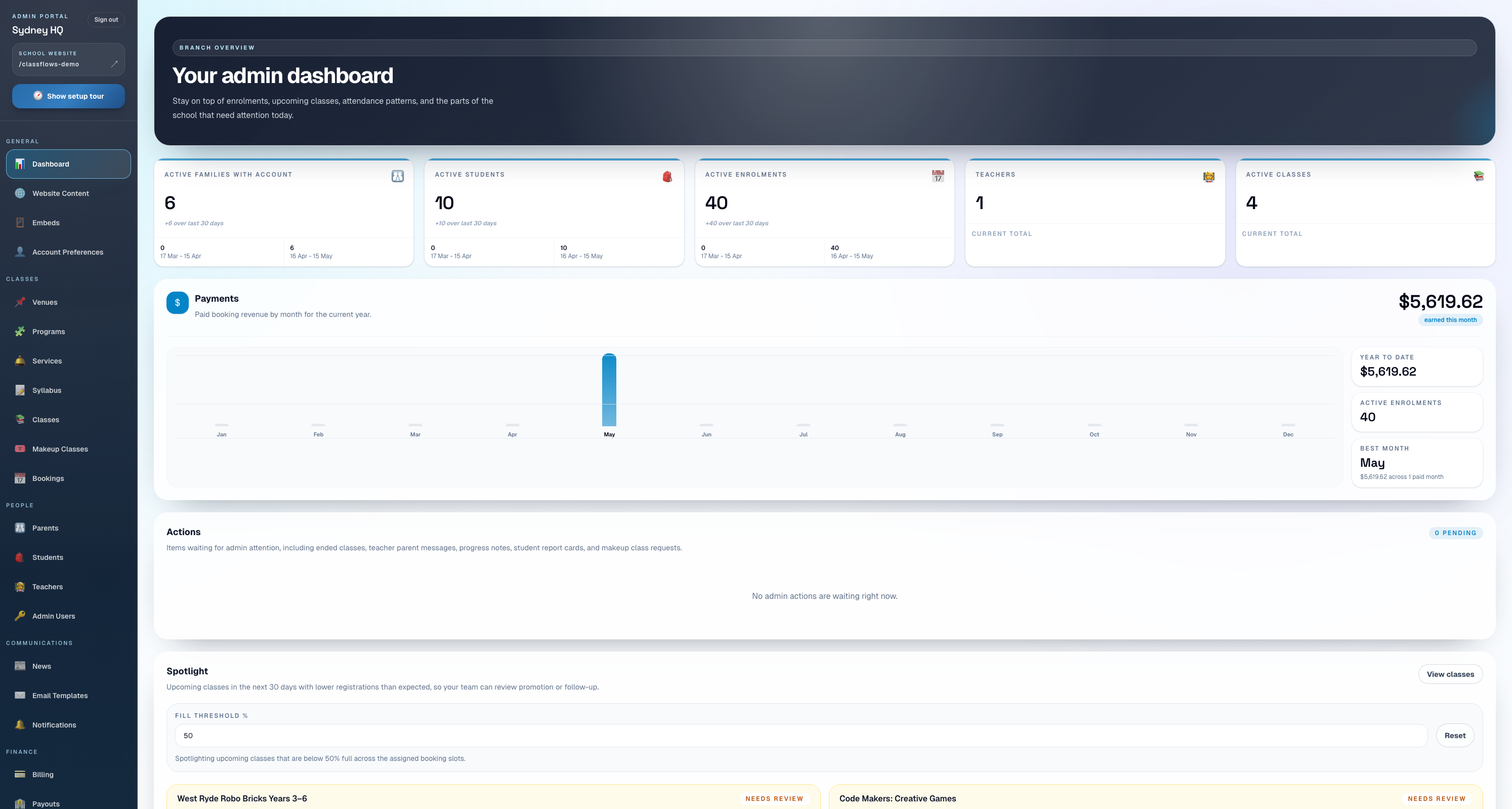
Admins can see setup prompts, class activity, revenue, and daily operational signals from the main dashboard.
School and branch teams can track enrolments, revenue, payouts, attendance, and class activity from reporting views.
Classes, bundles, booking links, completion status, and public visibility are managed in one place.
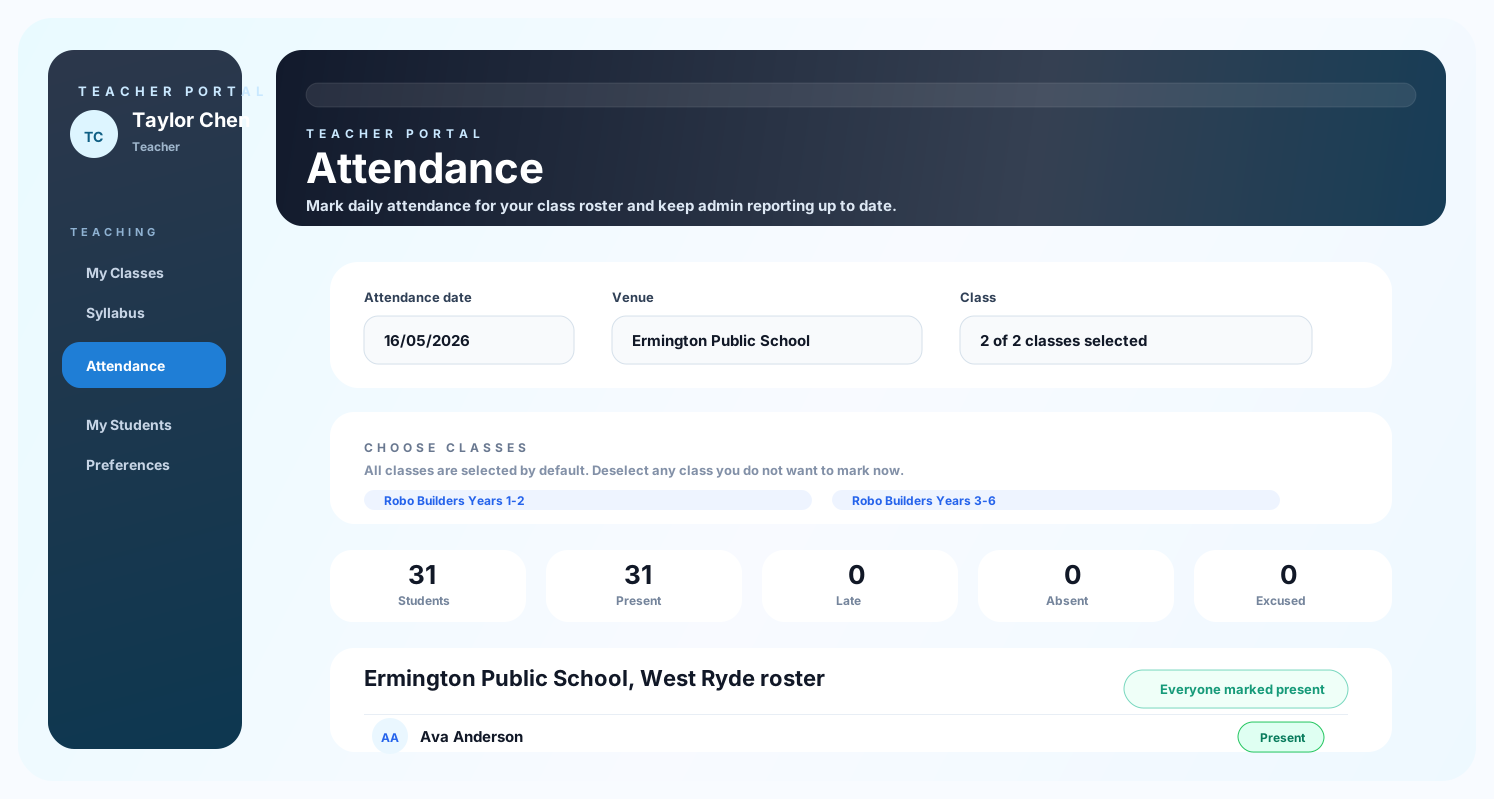
Teachers can open rosters, mark attendance, review students, and send parent updates from their own portal.
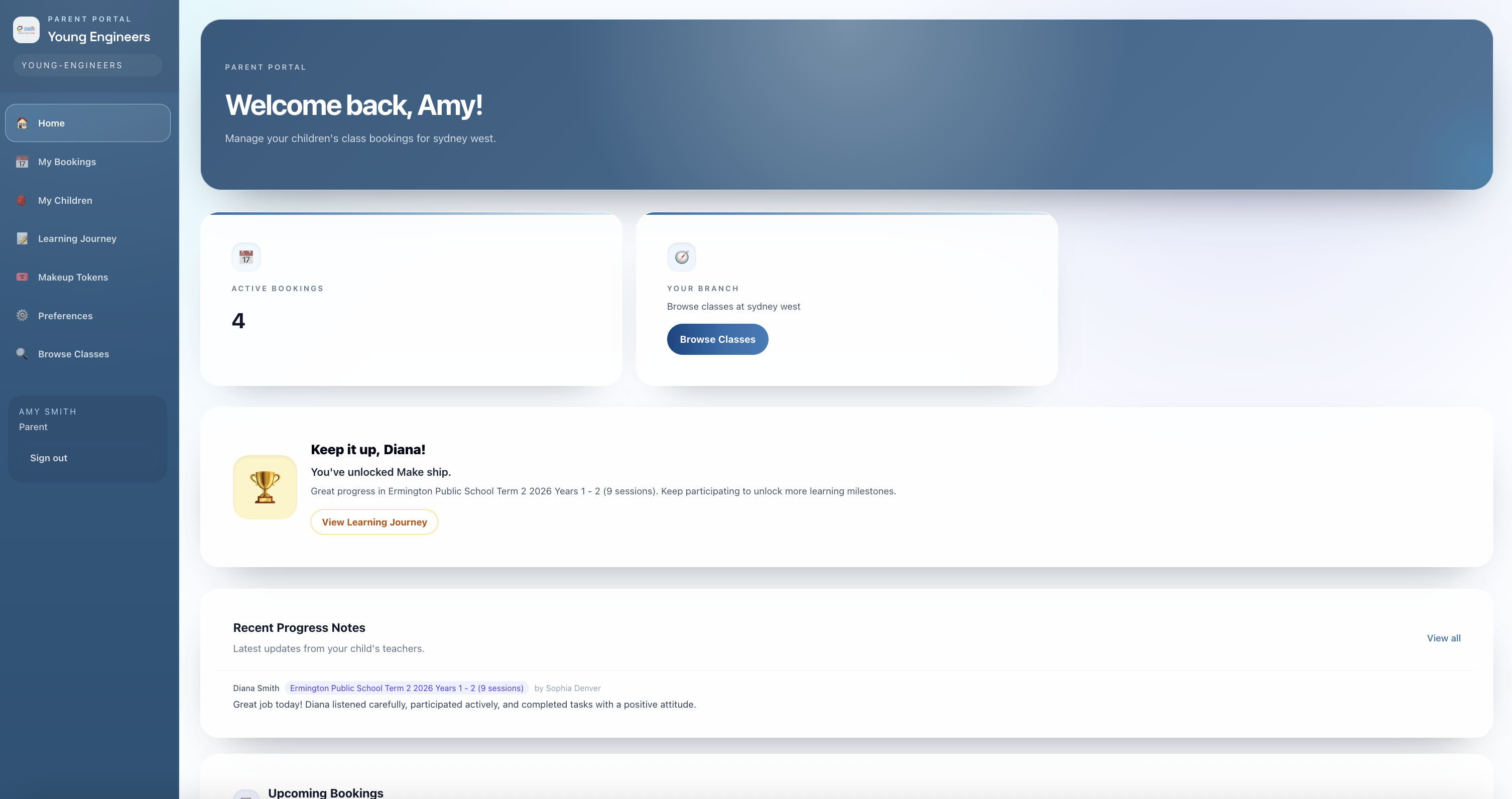
Families can view children, bookings, preferences, progress, and other parent-facing tools.
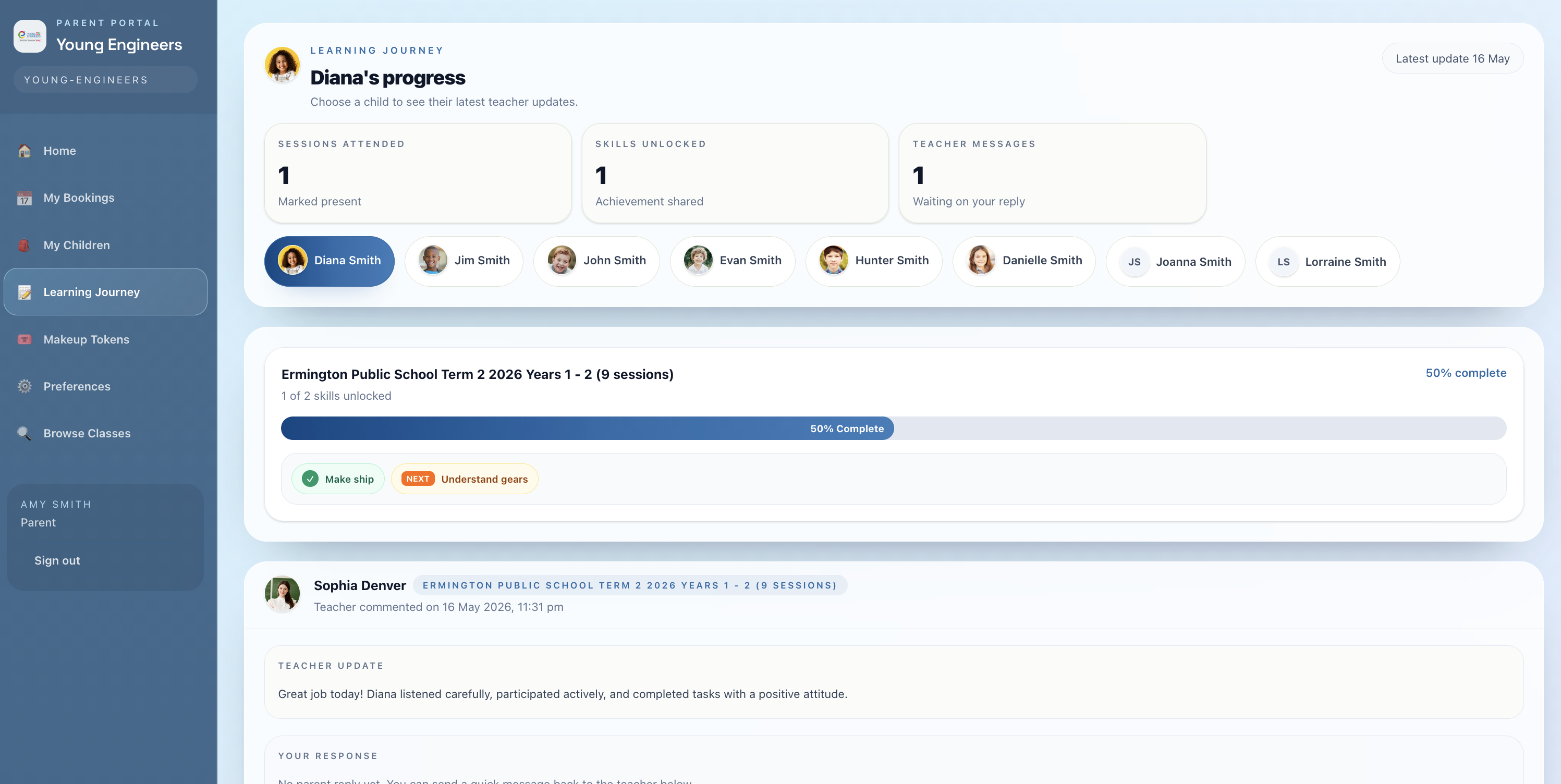
Learning Journey gives families a clearer view of attendance, unlocked skills, teacher updates, and child progress.
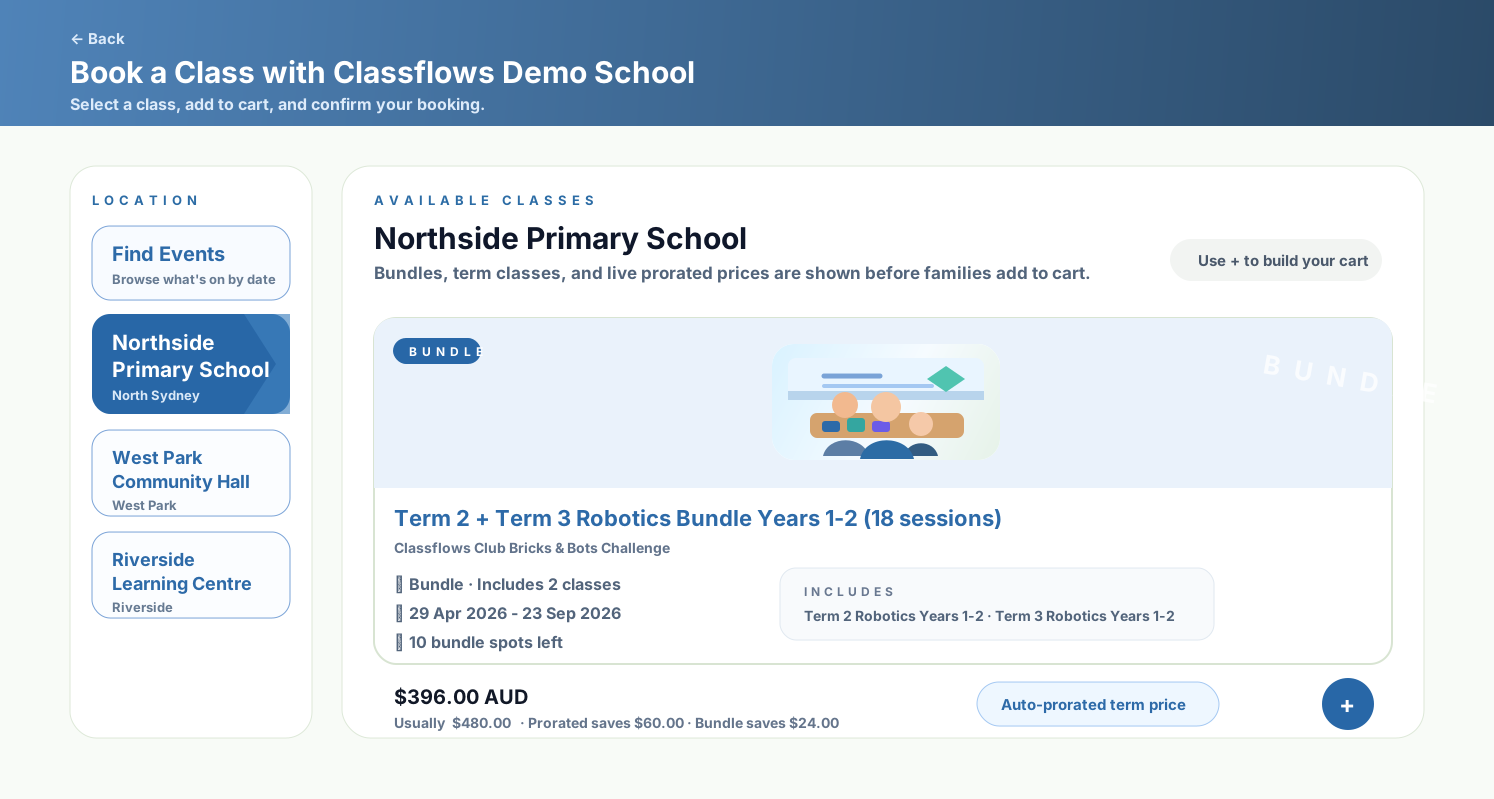
The public booking flow supports bundles and prorated term classes, keeping family enrolments connected to the same admin records.
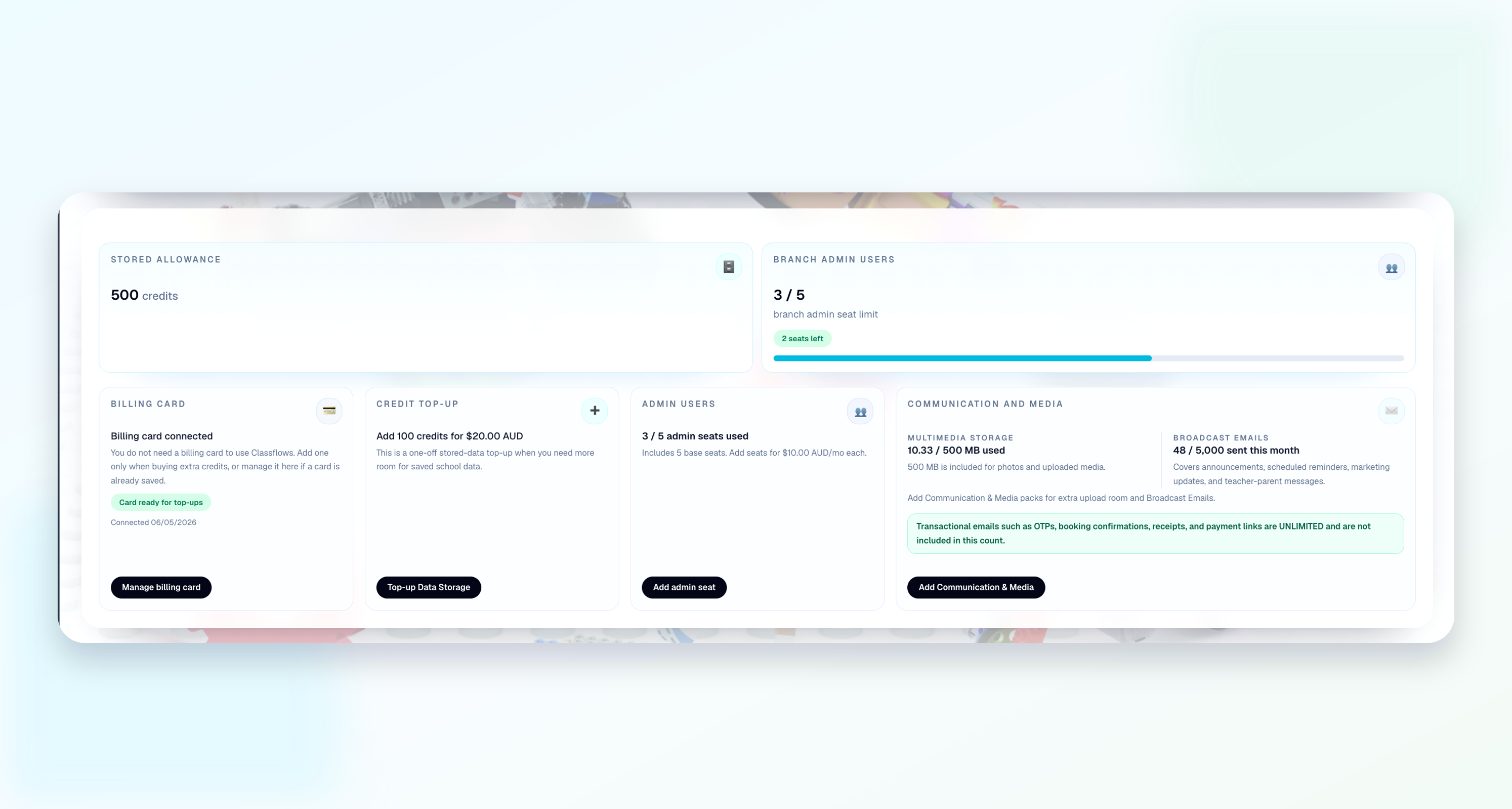
Billing setup, and usage information stay visible for school owners and global admin workflows.
Class management software helps providers manage classes, enrolments, students, parents, teachers, attendance, payments, reporting, and communications from one platform.
Yes. Classflows supports main school and branch operations, including branch admins, branch classes, local booking contexts, shared programs, reports, payouts, and audit visibility controls.
No. Classflows is built for education and activity providers such as tutoring centres, music schools, dance studios, STEM programs, academies, holiday programs, and multi-location class businesses.